Camilo Villa

Project Portfolio
Power Automate flows
Back to Projects.
Description
Selection of different Power Automate flows to solve specific business cases, to automate repetitive and manual tasks, or to increase personal and team productivity. Standalone or as part of larger solutions.
Technologies and tools
- Power Automate
- AI Builder
- HTTP requests
- JSON
- Adaptive Cards
- Sharepoint
- MS Teams
- MS Forms
Year
2019 - 2026
Screenshots
- Scheduled Power Automate flow that extracts data from the Graph API using Delta links, to extract only the events that are new or updated for increased perfomance. The flow stores and reads configuration for the Delta Link in JSON files:

- Power Automate flow that connects to the Graph API, stores results as raw JSON files into SharePoint, and handles API pagination dynamically:

- Flow to generate dynamic PDF files based on HTML for improved formatting, stored in SharePoint Online:

- Flow that reads email attachments, stores them in Sharepoint, and extracts key information using an AI Builder model:

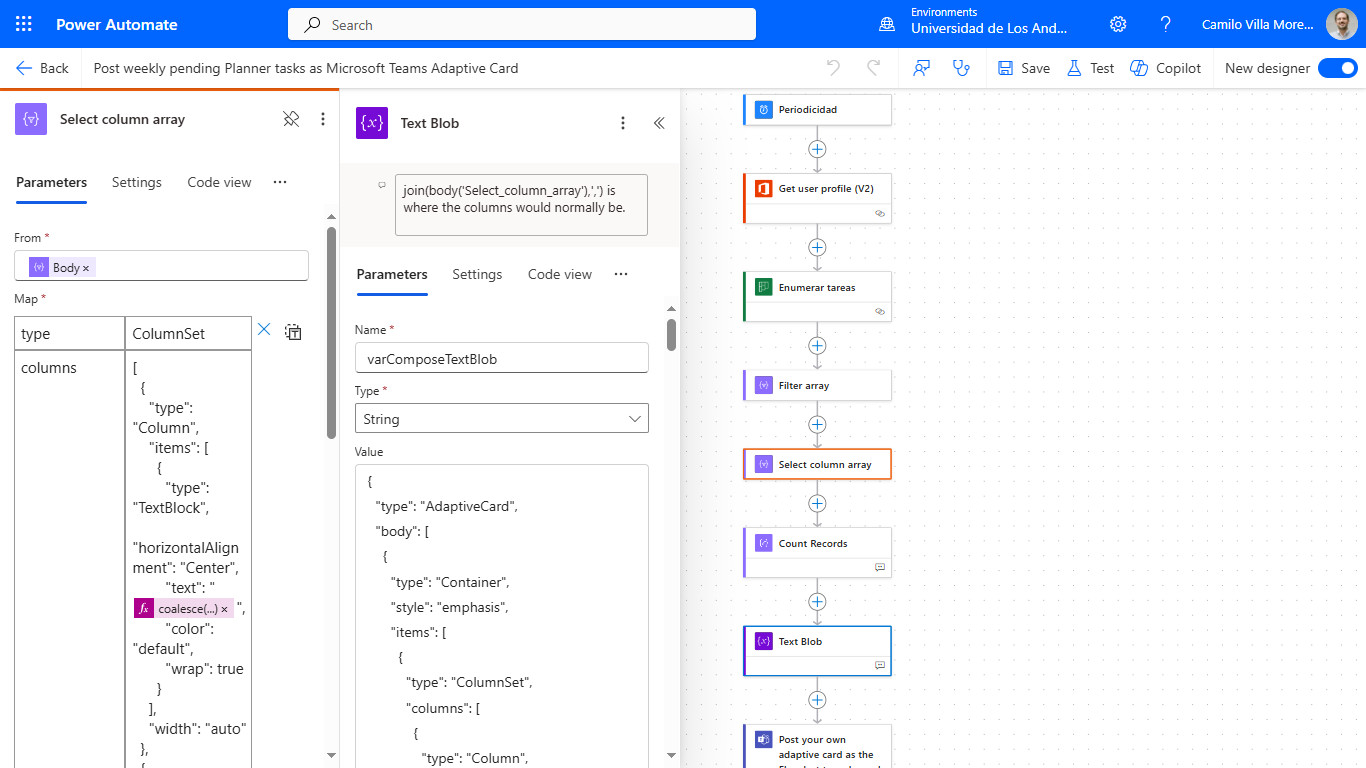
- Flow to post a weekly Adaptive Card in Teams with pending tasks from MS Planner:
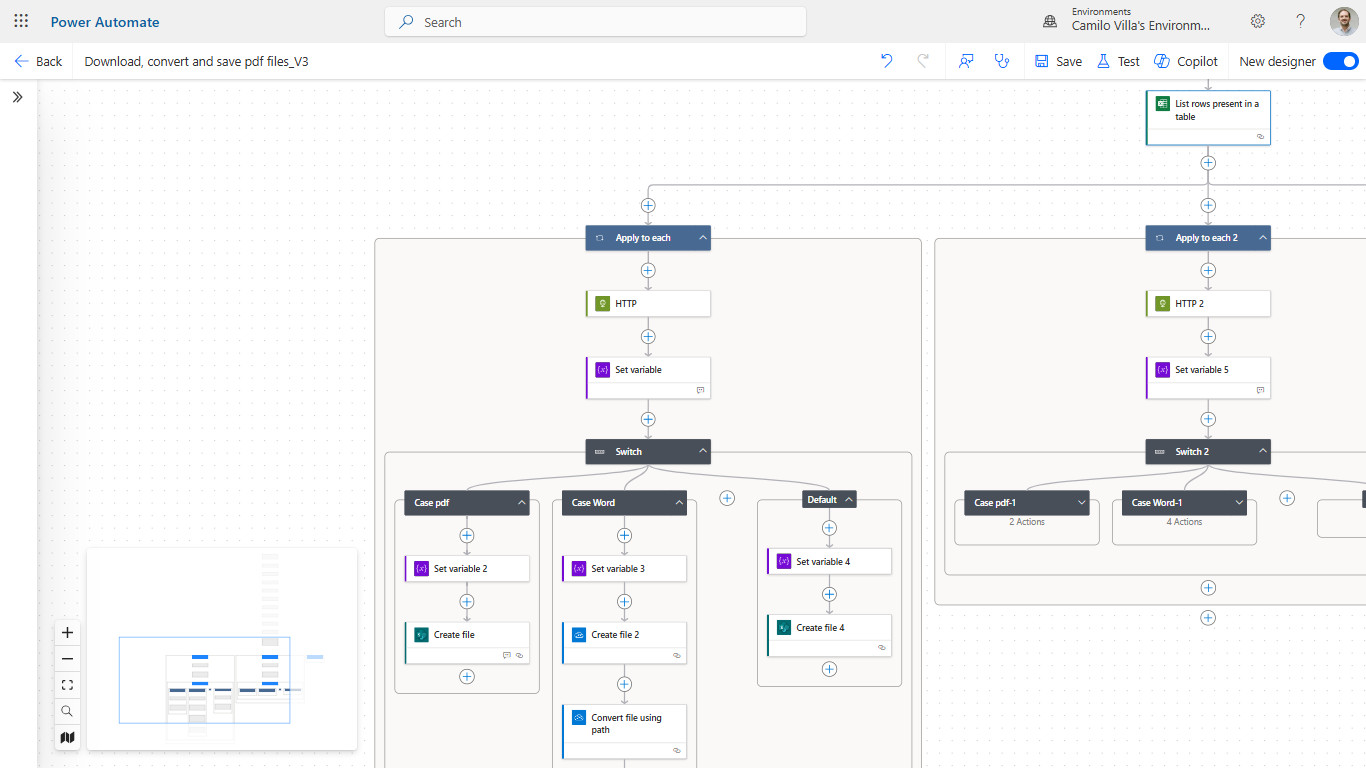
- Flow that organize and rename email and MS Forms attachments into different Sharepoint folders depending on different criteria, standardizing folder structure, files formats, and naming:
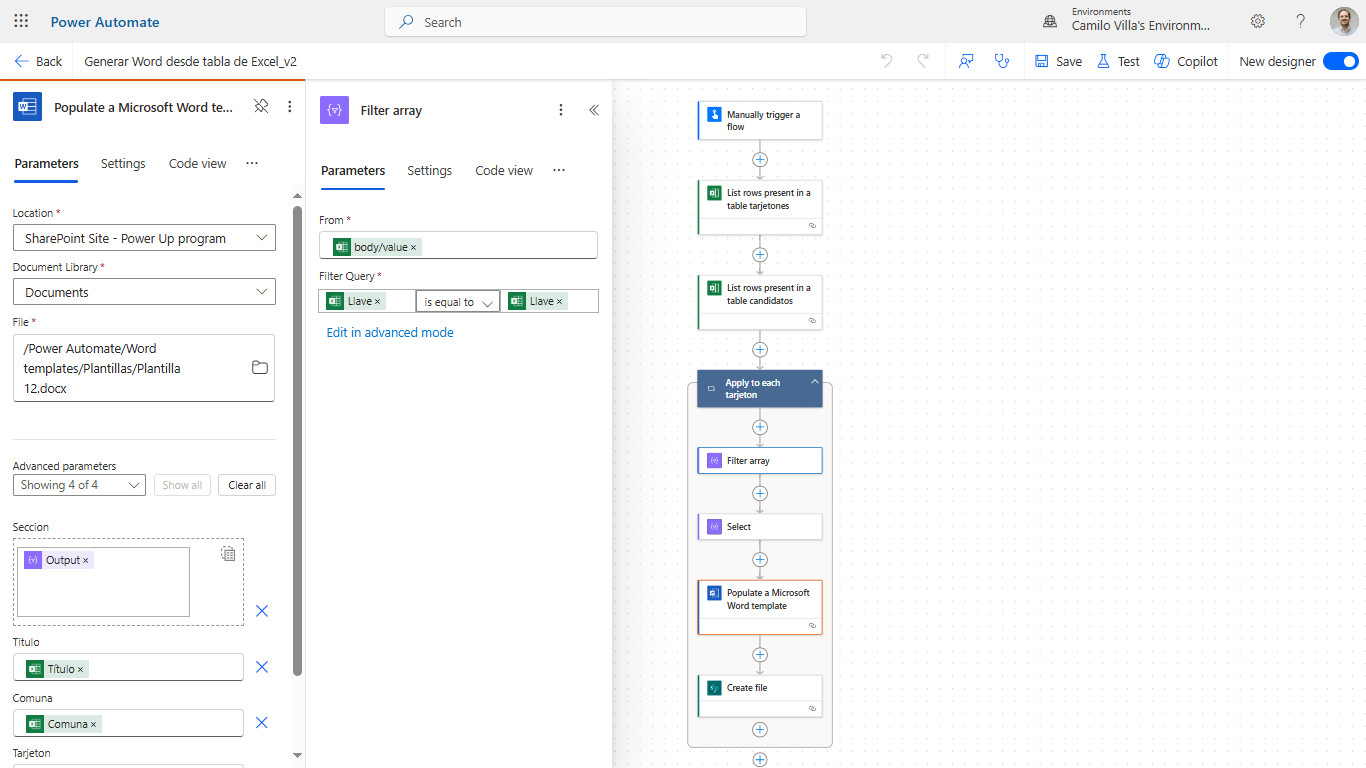
- Flow that generates several Word documents based on a template using information stored in Excel and Sharepoint:
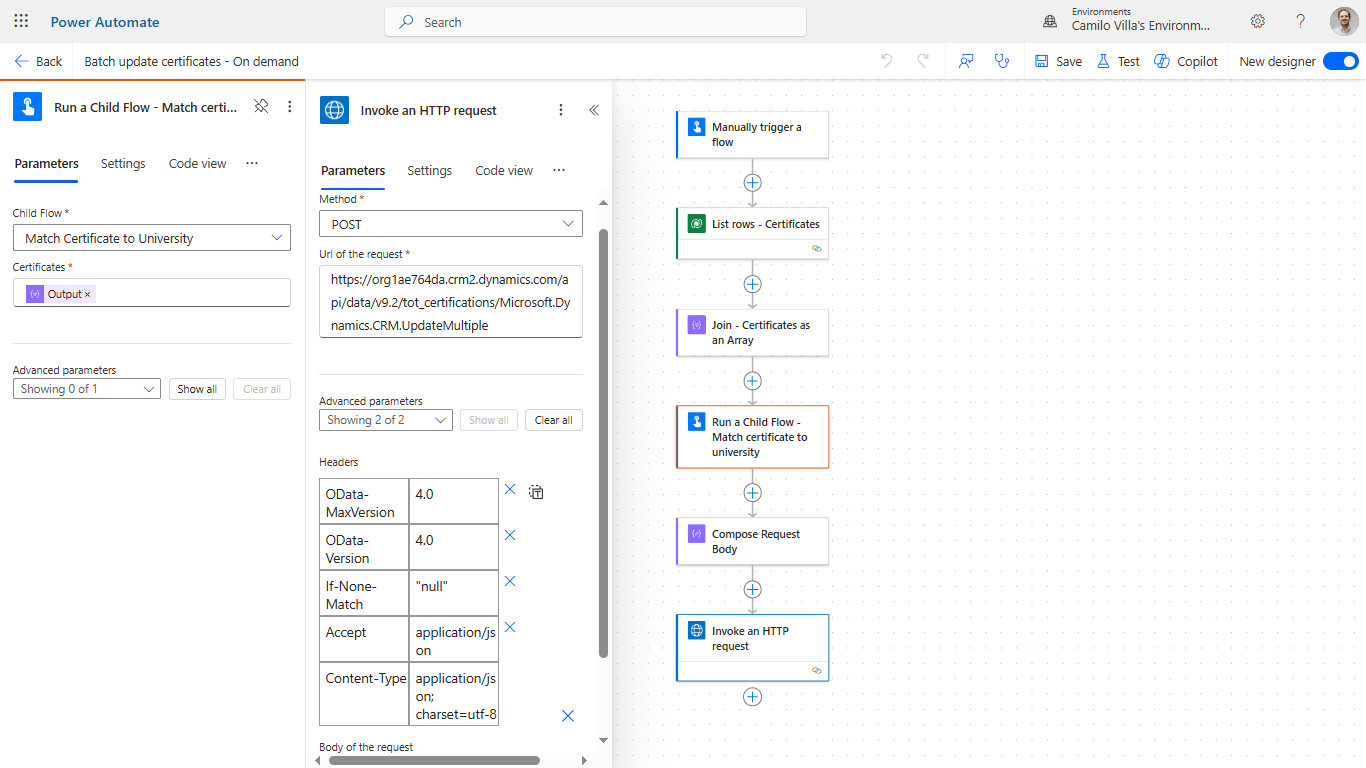
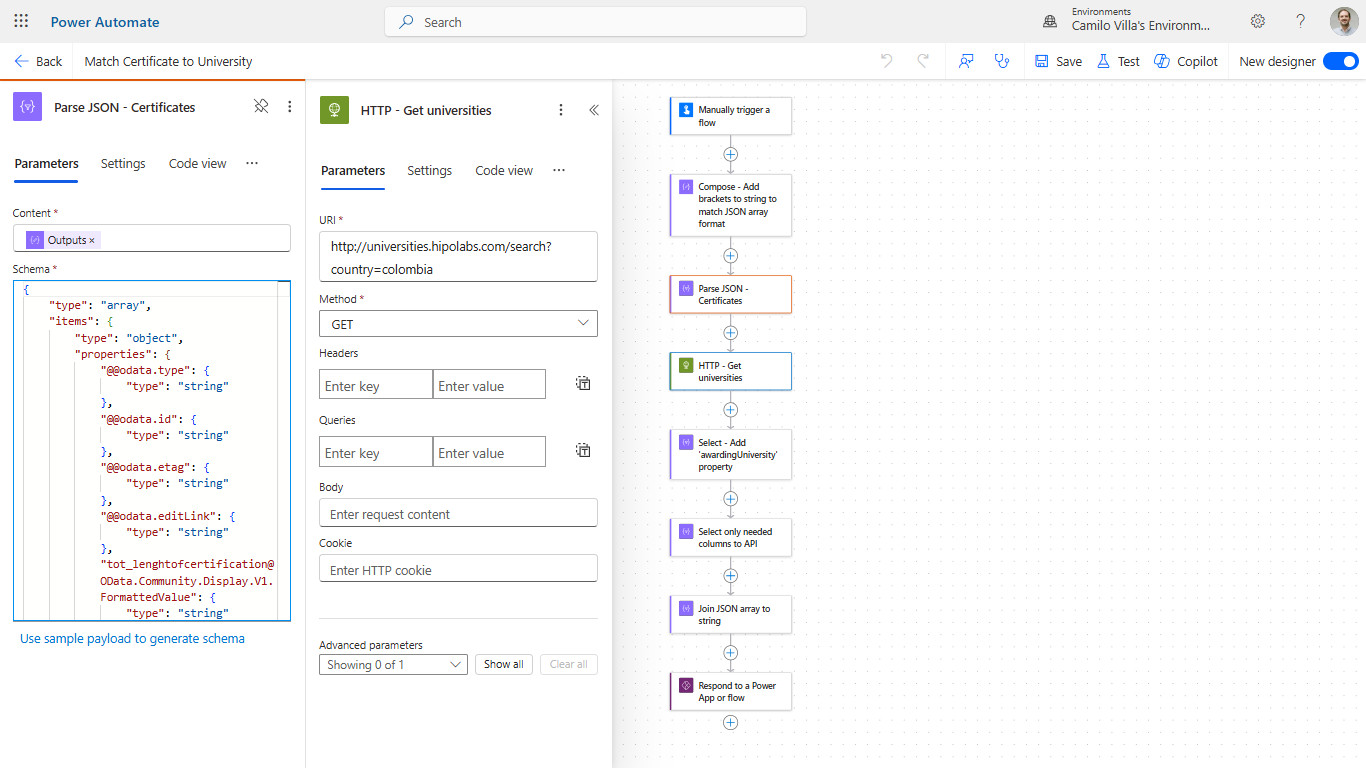
- Flow that matches and enrich information of Dataverse records with data from an API to a Web service. It uses HTTP requests, JSON parsing, arrays and child flows:
Back to Projects.